Logging In, Account Recovery, & Two-Factor Authentication
Sign in and secure your account with Google Authenticator 2FA.
Signing in
Use the Login link (or go to https://www.towercoverage.com/login). Here you can enter your username (Your username is the email address you used during sign up.) and password.
Forgot password
If you've forgotten your password you can utilize the Forgot Password? option on the login screen. Please check your inbox or junk mail folder for a password reset link.
Setting up Two-Factor Authentication
In order to add extra security to your TowerCoverage.com account, we've provided the option to enable two factor authentication to your current login.
Account admins can require authentication for all users by enabling it in the company profile.
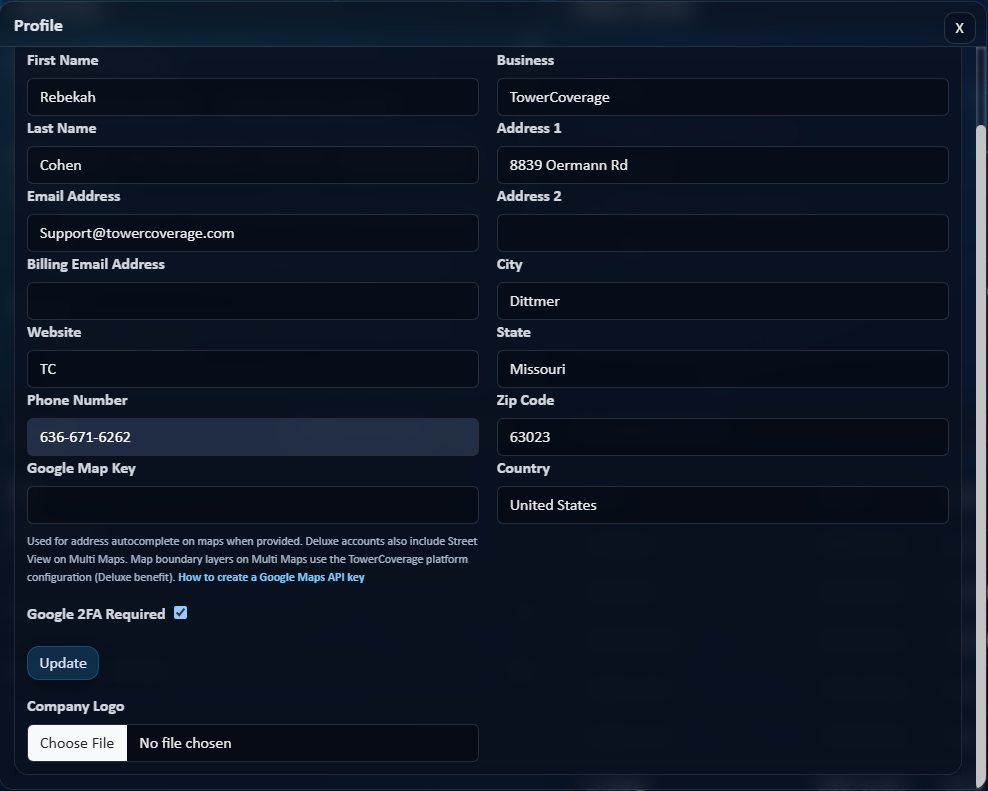
If the account is set by an admin to require Two-Factor Authentication, all users that have not yet set it up will be given the setup screen on their next login.

If a user removes their authentication or gets a new device, the admin can disable the users authentication in the Account >> Users menu so that they get a new setup screen on their next login.

Individual users can enable authentication for their login even if it is not account required by going to Account >> Google 2 FA. Here they can scan the QR code with the Google Authenticator app that they can download to their cellular device.

