Multi Maps
Combine multiple coverages into one shareable, embeddable public map.
A Multi Map is a collection of coverage maps merged together to create one large coverage area. There are a number of options and features available that you can use on the Multi Map. To create a Multi Map, select Multi Maps >> New.
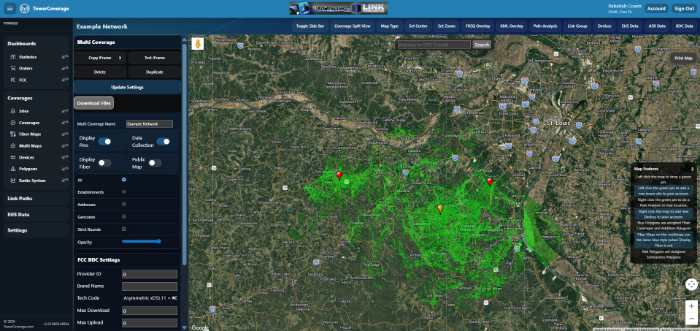
There are a few basic actions you can take on each multi map and coverage map. You have options to delete your map, as well as duplicate it. Duplicating a map will create a new Multi Map or coverage using the same parameters as the original; you will have to give the map a new name prior to duplication.
The Update Settings button on a coverage map allows you to change all of the RF parameters as needed and then update and reprocess the coverage map.
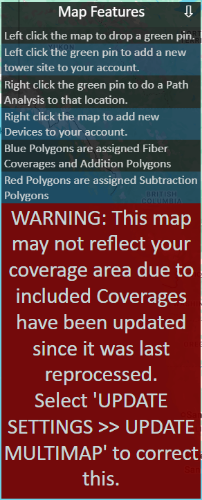
If any individual coverages have been changed and the Multi Map has not been updated, the map will display a warning advising the user to update the map to reflect the modified coverages.
You can find the website integration code at the top of your Multi Map under Copy IFrame Code Please see the website integration section for more information.
If you use TowerCoverage to file for the biannual broadband data collection filing, the section at the bottom left can be used to fill in your information for your availability data. Click update BDC Settings to commit your changes to that section.