Service Packages
TowerCoverage users have the ability to add Service Packages to their account.
This allows Service Packages to be presented to potential customers via the End User Data Collection Form.
It also allows Staff Members to Pre-Qualify End Users manually while performing a path analysis via a Coverage or MultiCoverage Map.
Packages can be added from the Main Menu under Settings >> Packages.
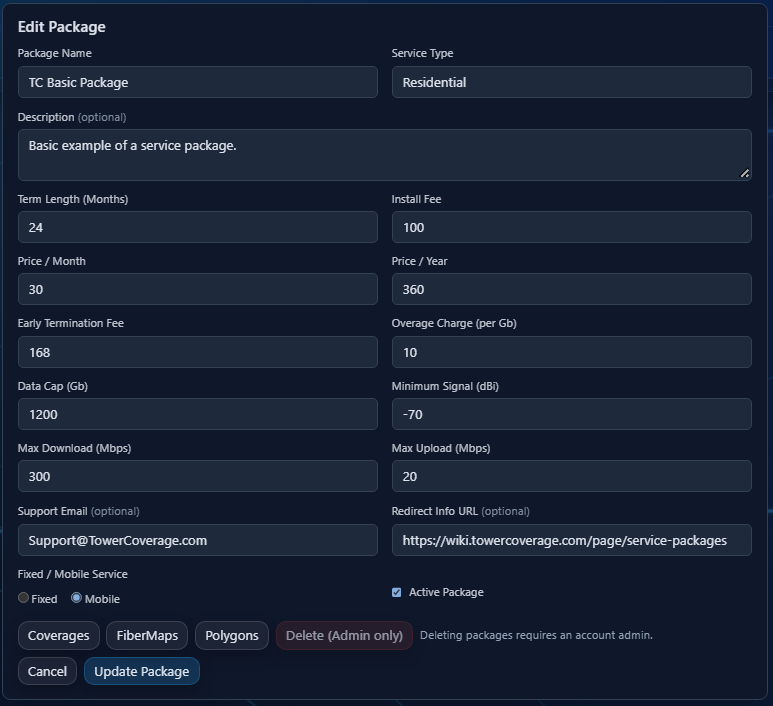
From there you can make edits, save changes, activate or remove packages as well as assign them to a specific Coverage, Fiber Layout, or Polygon.
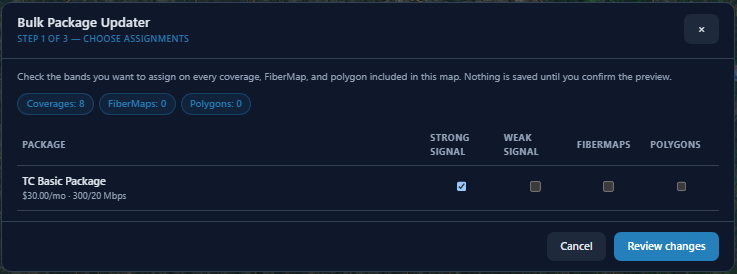
Packages can also be assigned via the individual map interfaces for Coverage Maps, Fiber Layouts, Polygons, or MultiCoverages.
The Service Packages Feature can be enabled in the EUS Setting modal.
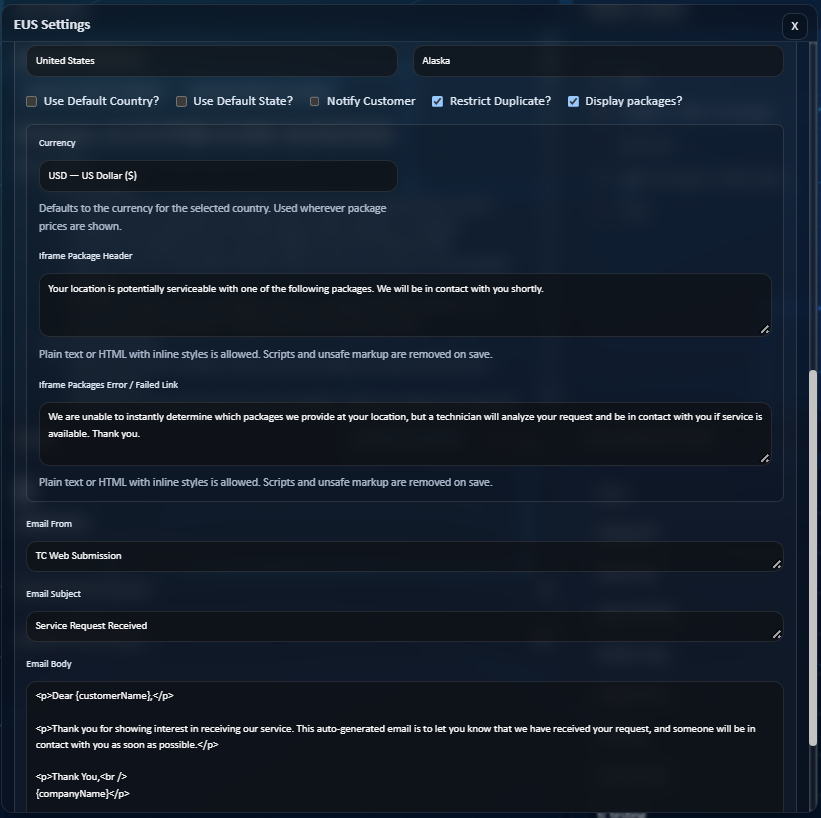
There you can set the currency and alter the customer facing messages your end users will receive.
When an End User (Potential Customer) fills out the form, they can then can select to view available packages.
At this point it will display a list of packages (if any are available at their location), or an error/no service message as is defined in the EUS Settings modal.